This year's Halloween event is almost ready to launch! How excited are you?

I did it! I actually got trains 3 and 4 at the same time, which was neat. That was fun :)
Comment has been collapsed.
Really nice litte game and thank you for the train!
Comment has been collapsed.
Huh, interesting point. I may need to re-balance some stuff. Thanks for the heads-up.
And congrats on already being through the entire thing!
Comment has been collapsed.
Thanks for the event and the game
https://imgur.com/a/nL4dplm
Comment has been collapsed.

Soooo, installer was the same name as one of your last games and maybe the settings were picked up form the last one as well as I already had all trains unlocked on the first attempt 😁
Thanks, I always have fun playing your games

Comment has been collapsed.
Ohhhhh, crap! I didn't even think about that...for people that still had the game installed from 5 years ago (honestly, I'm flattered that you still had the thing installed on your machine 😅). I should've added a "2025" to the installation folder or something. I might do that for future downloads, but in the meantime, congrats on circumventing the system. Not your fault. :D
Comment has been collapsed.
I'm a hamster, rarely uninstall stuff 😁
Became a hacker by accident
Btw the game is kinda choppy on my (truth be told a bit older) PC, don't know why though. Even when I reduce it to a quarter of my screen. Do you take the user's primary screen resolution as a setting or?
Something to consider for the next year (which I'll probably skip as I'm considering switching to Linux)
edit:
AlternateSyncMethod=1 in options.ini removes the stuttering but introduces lag in the movement
edit2:
runs okay with this:
CreateTexturesOnDemand=1
AlternateSyncMethod=0
VertexBufferMethod=0
SleepMargin=0
Comment has been collapsed.
Interesting. Well, it's a locked 60fps refresh, as Gamemaker uses the refresh rate to establish timers and such in the game. The tech used for this game is pretty old and should run fine on a potato computer. I ran this on a 1st-gen Surface back in 2020 (and that machine was old then), and it ran perfectly smoothly. I wonder if there's something else running in the background that's conflicting with the game.
Also, we have a couple of people running Linux that have been getting all of these games to work just fine, mostly running them through Wine, but some people have other methods. Linux won't be a blocker for you. So long as you're not running a Mac, you should be good.
Comment has been collapsed.
That's great, the more people on linux the better 😁
Yeah, It's weird that that happens. Maybe my ultrawide monitor is the issue...
Comment has been collapsed.
Yeah, maybe run it in windowed mode and plop it in the center of the screen. That may help.
Comment has been collapsed.
The game starts windowed for me and with VertexBufferMode=1 (the default setting) even then it's choppy.
With that set off it runs ok 😁
Comment has been collapsed.
Hey, good to know! I'll be sure to suggest that to other people if they're having issues.
Weird, its runs smoothly for me on a wide variety of hardware. But there must be some common denominator that causes the odd lag for some people, because even though it's been a really small number of people who have reported it, you're not alone.
Comment has been collapsed.
I wonder if it's a combination of windows 10 and an older AMD graphics card
Comment has been collapsed.


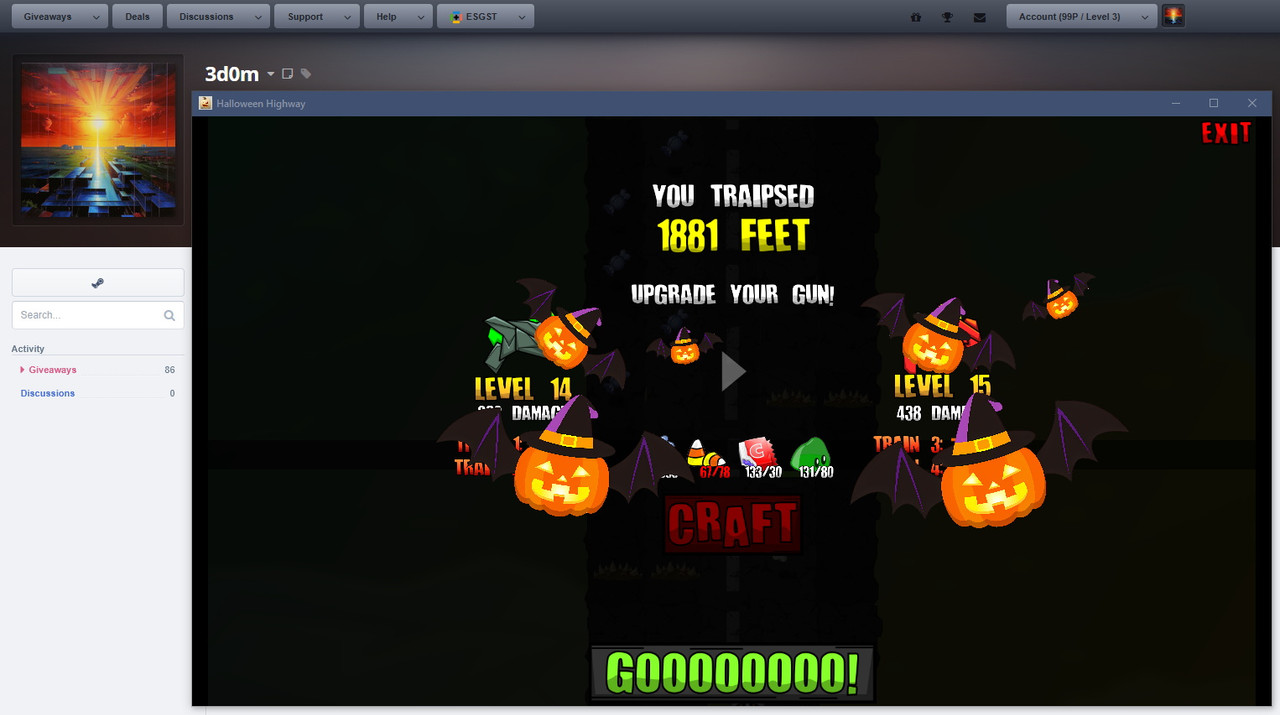
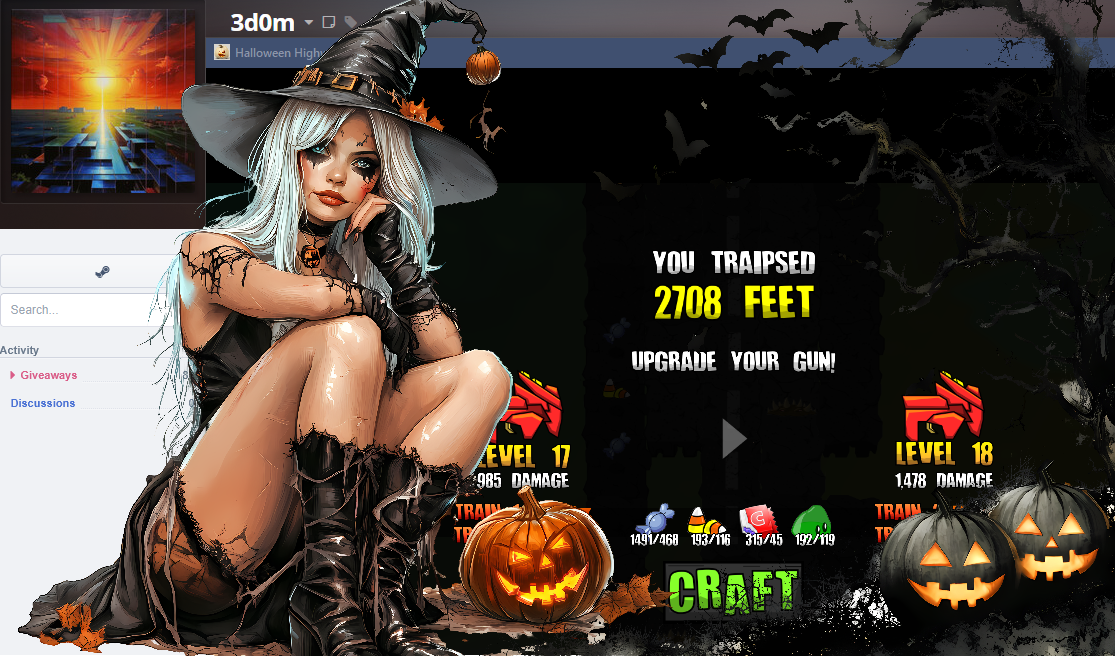

https://imgur.com/a/5RyE2LC - thanks for the GA and good job on the game! I'll probably try my luck getting to level 4 a few days done the line, but right now I'm just miserably failing over and over at around roughly the same distance.
Comment has been collapsed.
Okay well dizziness improved after I tried playing without my glasses, which makes everything blurry 🤣 but still playable.
I ended up in the unusual situation of getting to train 4 code first as I managed to avoid most enemies on my way to 800 and didn't have enough green thingies to upgrade lol
Thank you for the hard work and giving us fun Halloween themed games every year Grez!
Happy Spooktober!
Comment has been collapsed.
Interesting. I played with my glasses on and didn't have any issues, although I'm not prone to motion sickness or related stuff. I've gotten dizzy a couple of times from VR games, but that's about it.
I've heard from a couple of people that if you're playing full screen on a large screen that it's pretty taxing on the eyes. Changing to windowed mode and playing the game at a more reasonable scale seems to fix the issue for a lot of people.
My best experience was actually on my laptop. The touch screen control worked pretty well.
Comment has been collapsed.
I'm going to keep the installer to play on my gf's laptop because I want to experience it on a touch screen!
It worked out reasonably well in the end but I have been having balance issues (due to an inner ear problem) and I think that might have affected my already sensitive motion sickness trigger.
Anyway it was really fun. Thanks Grez!
Comment has been collapsed.
Hello there. Aren't you supposed to cover those 5 letter codes? Or maybe you did and I am misreading this?
Comment has been collapsed.
Thanks, it's fun) I got train 1, 2, and 4, the 3rd was stolen by ghosts :-O

Comment has been collapsed.
Lol...just grind a bit more to get that level 10 gun, and then you'll have train 3 as well. ;)
Comment has been collapsed.
3/4 trains gotten to, not joining any of the GA's so not posting a SS
not going to push for the last... between the near(or actually) impossible diagonal moves being required and my finger starting to hurt on the wireless keyboards touchpad, not just not worth the effort, break time then more Hades 2!
boop
Comment has been collapsed.
Oof...you were using a touchpad? I tried that a bit, but it was too awkward, so that's why I didn't suggest it. I'd use a real mouse or a touch screen (both of those are pretty good experiences, especially if you have a gaming mouse and can easily change the sensitivity to get it where you want it).
And yeah, sometimes the RNG gods are real @ssholes. LOL
Comment has been collapsed.
actual mouse would require me to play with the DPI to much, the speed I normally use would probably give many people motion sickness.
lets leave it at... barely move at all and that cursor is across 2 monitors.
Comment has been collapsed.
That's why gaming mice are the bomb...just click a button a couple of times and get the sensitivity right where you want it. Then a couple of seconds to switch back when you're done. ;)
Comment has been collapsed.
Train 4 is faaaar away, here's my best distance so far... (Am I the only one who sees her screen moving up after playing...?)
Comment has been collapsed.
EDIT:
Well, it's all over, folks! In the end, hundreds played, and over a hundred won!
Thanks to everyone for all of the kind words and constructive feedback. I'm sorry that I couldn't respond to all of it, but, uh, there were a lot of messages.😉 Anyway, I'm glad that I was able to bring the community something that (most of) you enjoyed.
I'm working through checking winners and sending out keys. I'm hoping to have most of it done tonight, but it's already pretty late here so I very well may wrap this up tomorrow. But I promise we'll have it all done in the next 24 hours.
If there's a problem with a key, let me know. If it's something that I can fix, I will. If we end up with a bad key or something that can't be replaced, please be cool and agree to delete that particular GA. I'll get you some kind of equivalent prize that I'll send you through Steam chat or discord or something.
Thanks again for playing and I hope that everyone had a happy Halloween!
Grez
Alrighty, folks! Welcome to the 2025 Halloween Event:
Halloween Highway!!
This will be a video game event (since everyone here should be a gamer!). This event has 105 giveaways in it! There is a grand prize $70 AAA package (that unfortunately is region-locked, because that's what these publishers do now). All of the games are horror/scary/monster/Halloween-themed.
Similar to how last year I brought back my previous game, Back To The Darkness From Whence Ye Came!, this is a game that I created for my Halloween event in 2020. I figured that it was time to bring it back around. I've made further tweaks to it, but nothing as extensive as BTTDFWYC. I've tried to reduce the amount of grindiness by a little bit more, but you'll still need a bit of concerted effort to enter all four trains. Hey, you have almost two weeks, so that shouldn't be hard at all. Also, you'll need to merely be level 1 to enter the giveaways in the trains.
As mentioned previously (but I want to be sure I'm giving proper accreditation), this game began as someone else's, and the code was open source. This was part of my learning Gamemaker and the GML language. What made it challenging this year is that this was made with the old 1.4 version, which is no longer in support, and getting it to run is kind of tricky. I was able to make more code changes and get things to build properly, but it also required closing about 9 different error boxes every time I rebuilt the installation package to test it. 😆
I used a game by the shop Butterscotch Shenanigans called "Freeway Mutant." This was a game that they did for a game jam in one day, and it was never sold commercially. It's simple and perfect for an event like this. So, I've taken it and done a proper asset-flip, re-theming the whole thing to become a Halloween-themed game: Halloween Highway!
Things that I did to make this game:
Fine, fine, so you're good at hacking through other people's code and changing it. I'm super impressed. Just tell me how this thing works.
Ok, geez, take it down a notch. I'll get to the good part.
So, the game is an endless runner with super-lightweight roguelite qualities. In other words, you'll be able to upgrade some things between runs that you'll get to keep, making future run distance potential better.
You're a pumpkinhead guy with a gun, and you need to dodge the shifty-eyed spiky things on the ground as well as various baddies that you see along the highway. You have a gun, and you can shoot the baddies with it (but not the spiky things on the ground). The gun starts out weak, but can be upgraded over time. Some baddies are also much harder to kill than others, so until you upgrade your gun, there are a lot of them that you'll just have to dodge for a while.
Upgrading the gun
As you run along, you'll see different pickups...various types of Halloween candy as well as ghost slime. Whenever you die, the game over screen will show what gun level you currently have as well as how many of each pickup you need in order to craft the next level of gun. It also shows the increased damage that new gun will do. All of the various candy will simply appear along the highway as a drop...but to get the ghost slime, you have to shoot baddies with your gun. When they die, ghost slime will splat out through the air and land somewhere on the highway.
Why does your guy need candy and ghost slime to upgrade guns? Heck, I don't know! He's a pumpkinhead dude...none of this makes sense and frankly I don't want to live in a world where it does. 🤪
Controlling Pumpkinhead
Steering Pumpkinhead is easy. Remember, this game was designed for touch screens originally, and this still works. If you're playing on a touch screen, simply hold your finger on the screen and slide right and left to steer Pumpkinhead. When you're aligned with a baddie, he'll shoot his gun automatically. If you're playing on a regular PC, you'll need to steer with your mouse while holding your left mouse button. Yeah, yeah, that last bit sounds like a pain, but it's not a big deal. Remember that you're essentially dragging your character, and that's how you do that with a mouse. Again, firing happens automatically so long as that mouse button is pressed down. I actually tested this on both my gaming PC and my Surface Pro, and I liked playing with the mouse better (that's how I got my longest run). So, no whining.
That sounds good, but you still haven't told me how I can win games
Oh yeah, that's kind of important. So, there are four trains with increasingly more difficult tasks to enter, but the games get increasingly better as well. The first train can be (against my better judgement) entered by anyone, level 0 on up. All of the other three trains require you to have given at least something on SG before, and thus require a measly level 1 to enter.
That last one make take you a little while, but it's totally doable. I've run for almost 2000 feet, so it can't be that hard. Also, I've upgraded my guns to around level 20, so getting to level 10 is actually pretty easy.
Once you've achieved any/all of these things, the code to enter that train will be available on the game over screen, clearly labeled and right below your gun statistics.
In case you're not familiar with it, every giveaway on Steamgifts has a five-character code, and that's what's listed as the start of each train. All you need to do is write down your train codes, and insert them into the URL in your browser as follows:
https://www.steamgifts.com/giveaway/ABCDE/All you have to do is replace "ABCDE" in the string above with your five-character code from the game, and POOF! MAGIC! You'll be looking at the first cart in that train.
Unfortunately necessary note about cheating
Don't do it. Play the game. It's not that hard, doesn't take that long, and should be at least some degree of fun. Anyone caught cheating, whether giving or receiving codes from the game without playing it, will get added to my blacklist. My blacklist is short...but once you're on it, you're probably never coming off. So, just resist being a douche canoe and play the game that I worked hard to bring you, ok? Oh, and I have eyes in some of the little Discord and Reddit groups some of you belong to that you think are secret where you publish game codes from SG. If you try to share codes there, I'll likely find out. Alrighty. Enough about that.
On that note, you need to prove that you actually played the game
This is pretty easy. Just get a screen shot of the game in windowed mode with your Steamgifts profile in the background. DO NOT SHOW THE TRAIN CODES IN YOUR SCREEN SHOT. Please obscure them. An example screen shot is at the bottom of the main post. The game can easily be switched between full screen and windows mode by pressing ALT-Enter. When it's in windowed mode, you can drag the corner to resize the window to your liking and everything will auto-scale.
Other notes on the game
I did make quite a few tweaks to the code to speed up the overall experience. The game starts dropping the rarer pickups (candy corn and candy bars) sooner in my version than the original, so you can speed up the upgrade process. I also made the rarer items a bit more prevalent, lowered the collection thresholds for each level of the gun, and reduced the pickup cooldown time so that they'll drop more often. I estimate that I made things about 35% less grindy. 😎👍🏻 One side effect is that some of the stronger baddies seem to show up a tiny bit sooner, but honestly it makes the game more interesting and faster-paced, and I think that it's more than a fair tradeoff. All graphic editing was done in GameMaker and Powerpoint.
Ok, let's get going!
First things first: Download link for the game
Install the game (on Windows...sorry, no time to attempt multi-OS support here) and fire it up! FYI...if you want to make the game full-screen, just hit alt-Enter to switch between that and windowed mode. The game was fully tested and works on Windows 11 (didn't have to do any manual compatibility stuff).
Other stuff
The trains open up early on October 17th and end at 11:59 pm Halloween Night (October 31st - Central Time, US). So, get cracking, and best of luck to you and Pumpkinhead!
A couple of these keys (especially in the lower-level trains) are really freakin' old. So, please be cool and agree to a delete if they don't work for some reason. Being the swell guy that I am, I'll find some kind of replacement game for you of roughly equal value, so you won't go home empty-handed if you were supposed to win something.
Also, please visit Butterscotch Shenanigans! They wrote the original game, and they have some really cool fully-developed games like Levelhead! Check out their site or visit their Youtube Channel.
Update for linux users
SG member and linux user, Tyreg, has the following advice for those who want to play this Windows game on linux (using Proton & wine):
Comment has been collapsed.