This year's Halloween event is almost ready to launch! How excited are you?
Can't participate this time unfortunately, PC is packed because I'm moving soon
Comment has been collapsed.
Thank you for the event, Grez! Allways nice to see you do those special ones. 💙
Took me about 2 hours of falling into holes(yes, that's what killed me the most), but finally managed to do this!
I am really bad at games like this due to having poor coordination. 😭

Comment has been collapsed.
Bump - thank you grez for another cool event!

Comment has been collapsed.
Thanks for the trains! Game was actually not bad either, took me around 30 mins to finish all challenges. Sometimes though it gives you an impossible path.
Also the proof


Comment has been collapsed.
I found you could actually squeeze through those spots if you're quick and careful about it!
Comment has been collapsed.
Fun! Lost a lot of times unfairly to the holes/spikes hitbox but i managed to get through
Thanks for the chance and the fun game!

Comment has been collapsed.
I'm on Linux and can only run exe's via VM or wine/proton, so do you mind if I bug you for a few extra details?
- Any rough guestimates on minimum hardware specs / OS version required? Asking bc I have a Win 7 VM with no dedicated GPU but it's got 2 CPU cores and 8 GB RAM, so curious if that'd work. Edit: according to VahidSlayerOfAll's comment, sounds like Win 7 isn't a problem but not sure if no GPU is an issue (it can play YouTube vids inside the VM fwiw)
- Any clue what runtimes are required (e.g. visual c++ 20xx / dot net 20xx / etc)? If I run under wine/proton, steam games usually handle runtime setup automatically these days but since this is an installer, knowing required runtimes can be helpful for making sure manual setups have everything they need to run. Edit: saw [your comment] (https://www.steamgifts.com/go/comment/LcOqcaN) about it needing dxd and .net; that helps somewhat... Any clue which versions of either tho? Trying to remember if .net is backwards compatible and I can just install the latest one or not.
- Does this require any Internet connectivity for either the installer or exe to work? I am one of those paranoid types and like to run things in a security sandbox whenever possible. Nothing personal, just s security mindset sort of thing. But if Internet is required, then I won't bother trying.
Comment has been collapsed.
I'm not the dev/or op but I'm pretty sure this should run on an iGPU/less than 1gb of vram just fine. From google all I can find out is that they should run fine without a dedicated gpu, but might require an igpu. It's a whole file installer and I don't think it requires connectivity at any point. My assumption is if you're using proton this will likely run just fine with what you already got installed. Since you played Dead Effect recently, I'm guessing you at least have an iGPU, and this should run better than that.
As a reference, recommended to develop games on GM2 you'd want:
64bit Intel compatible Dual Core CPU
2GB RAM
DX11 compliant graphics card
Microsoft 64bit Windows 7
But it can also run on a raspberry pi which is much less than what you got. And this was made on GM1.4, so the requirements are even less. This is kinda like playing any 2D game on your pc, if you can run 2D games on your pc, I don't see why this wouldn't work. If you can't, I'm pretty sure there's a lot of people willing to sell a pc for less than $20 that can.
Comment has been collapsed.
if you're using proton this will likely run just fine with what you already got installed.
Proton is basically just wine w steam updates. Basically, I want to create my own wineprefix (read: isolated game data folder) for that game, which is common practice for security and to avoid overlapping configs. Empty wineprefixes tend not to have much preinstalled, it's just that Steam/proton will setup that environment for you when you are installing a known game that they already known the exact dependencies for.
But when you are setting up one that is not known, you either need to setup the wineprefix on your own from scratch (which is what I'm hoping for) or use one for an existing game and hope they don't mess things up for each other and have the same dependencies. So if I did track down another .net game and use its wineprefix/proton compatdir, but it ended up having a different .net version, theoretically, I could end up with something messed up in that game's prefix.
Yeah, I could make backups / reinstall / maybe figure it out by trial and error... But I'm assuming if he built it, probably he could just tell me exact version and save some headache. That's the hope anyway.
But it can also run on a raspberry pi which is much less than what you got. A
That does sound promising for the Win7 VM w no GPU scenario. Thx
I'm working on one of my pagywosg event games atm but might try it later in the VM and post back results
Comment has been collapsed.
Specs requirements should be low, so I'd give the Win7 VM a shot. It's the 1.4 version of Gamemaker for this one (before I moved to the 2.x platform), so it really should be able to run on a potato computer.
.NET used a layer cake model for quite some time, so I think if you have 4xxx installed, it's inclusive of 3xxx, but don't 100% hold me to that. <goes and does AI lookup on specs needed for GM 1.4> Oh hey, look: "The version of .NET required for GameMaker 1.4 is .NET Framework 2.0.50727. This version is necessary for the GameMaker Studio to function properly with this specific version of GameMaker."
No internet connectivity should be required at all. I can't guarantee that the Gamemaker engine itself wouldn't try to communicate out (simply for error logging or whatever), but I have zero code that does any external communication. And any built-in GM stuff shouldn't prevent execution...it would just fail and move on. So you should be able to run any games I code via GM in an air-gapped environment.
Comment has been collapsed.
Finally got around to it lol.
VM gave me an error about missing directx (yes, even with the installer having it). Wasn't sure and didnt feel like tracking it down so I just moved onto wine where I was able to get it running.
you can ignore the rest of this but if you get anyone else running linux, feel free to send them here. maybe it'll help someone. or maybe not. but either way, wasn't too much effort to copy/paste from my terminal so here are my setup notes if anyone wants/needs them.
system and wine details:
$ inxi -Sz
System:
Kernel: 6.16.11-200.fc42.x86_64 arch: x86_64 bits: 64
Desktop: Cinnamon v: 6.4.9 Distro: Fedora Linux 42 (Xfce)

$ wine --version
wine-10.15 (Staging)

$ winetricks --version
20250102 - sha256sum: c5bfa1741cb6671f1cf3328548a4e878ddf89f7c4f871519ef1037e78c7633d4
wine setup notes:
this assumes you have both wine and winetricks installed. Will probably work with most relatively recent versions but I noted the versions I have above just in case. I'm also using the native versions from central repos rather than bottles/flatpak so there might be some differences there.
I also use firejail for the actual sandboxing and to block net access but included notes for how to run it without firejail. Bwrap enjoyers, sorry, no clue but I'd be interested so feel free to let me know if you figure it out the equivalent syntax.
For anyone who hates the terminal, Lutris will probably work (its basically just a front-end for wine) but I don't have instructions for how to map my notes to that. Main thing is you'll need directx 9.43 (d3dx9_43) as a dependency.
# variable w path so i dont have to keep typing it out
winePrefixDir="/media/ssd/wine/32-bit/sg-halloween-highway"

# create a fresh 32-bit wine prefix at the location specified above
# the WINEDEBUG=fixme-all stuff is just to reduce useless
# terminal output that I find annoying. The trailing '\' is just
# a line continuation indicator on terminal (e.g. it means
# that a command is "one line" even if it is broken across
# multiple lines)
env WINEDEBUG=fixme-all WINEPREFIX="${winePrefixDir}" \
    WINEARCH=win32 wine wineboot

# by default wine symlinks the C:\Users\yourname
# folders to your actual Linux home folders...
# which is shit for security and isolation bc it makes it real
# easy for Windows apps to read stuff under your home folder.
# `winetricks isolate_home` removes/replaces the symlinks
# and makes it all self-contained in the prefix folder.
# `winetricks sandbox` does the same thing but also gets
# of the Z:\ drive that is mapped to your Linux "/"
# directory so it isn't as easy (but not impossible)
# for apps to look around on your filesystem
env WINEDEBUG="fixme-all" WINEPREFIX="${winePrefixDir}" \
    winetricks sandbox

# make sure directx 9.43 is installed
env WINEDEBUG="fixme-all" WINEPREFIX="${winePrefixDir}" \
    winetricks d3dx9_43

# at this point, you'll need to copy the installer into the
# drive_c folder that's immediately under the wine prefix
# path, if you haven't already

# this is how to run wine using the firejail sandboxing tool.
# there are other options like bubblewrap/bwrap but I haven't
# gotten around to that one yet. For firejail, you have default
# profiles under /etc/firejail/ and they usually allow for
# overrides from *.local files under ~/.config/firejail/
#     e.g. ~/.config/firejail/wine.local
#
# usually the default profiles shouldn't give you any issues.
# but if you are customizing/using your own custom profiles,
# sometimes, you need to play with them to work out
# permissions or other issues.
#
# below is path to the installer.
# run once with that then change the path to the installed
# game exe file. e.g. if you install to C:\hh then for next run
# you'd change the path to use
#   ${winePrefixDir}/drive_c/hh/Halloween_Highway.exe
#
firejail --profile=wine --net=none \
    --env=WINEPREFIX="${winePrefixDir}" /usr/bin/wine \
    "${winePrefixDir}/drive_c/Halloween_Highway_Installer.exe"

# alternately if you want firejail without dealing with profiles
# you can just use --noprofile option, e.g.
firejail --noprofile --net=none \
    --env=WINEPREFIX="${winePrefixDir}" /usr/bin/wine \
    "${winePrefixDir}/drive_c/hh/Halloween_Highway.exe"

# or if no shits are given about security and you just want
# to run it without any sandbox whatsoever:
env WINEPREFIX="${winePrefixDir}" /usr/bin/wine \
"${winePrefixDir}/drive_c/hh/Halloween_Highway.exe"Comment has been collapsed.
Wow, thanks for this! I've also had other Linux players say that proton is working well for them.
Comment has been collapsed.
I have some hand mobility issues and some motion sickness issues playing this but I was able to do it after a while.
After I was done playing everything I looked at on the computer was moving, like those optical illusions that cause everything you look at to spin. For a split second I thought my computer was bugged out lol.
Comment has been collapsed.
Thank you for the event, was a fun little game.
Comment has been collapsed.
Right, hope I got this right.
Took a break after train 3 unlock and 391 feet.
The music does your head in after a while 😉
https://imghoster.de/images/2025/10/18/SteamGifts-Halloween-Event-score-10-18-2025-Edited.jpg
Comment has been collapsed.
Thanks for the fun game^^, also sorry for the mess up
https://imgur.com/a/SK10CBG
Comment has been collapsed.
Bump, thanks for the event! :D

Comment has been collapsed.
Thanks a lot for this event grez (If i may skip the formality of the "1" at the end) i normally don't enjoy infinite runners, but when there's a prize like this at the end, they suddenly become a lot more enticing lmao.
Also, is this the picture you needed? Idk if i took it right, i'm guessing so!

Comment has been collapsed.
Yep, that's perfect.
And also, yes, "Grez" is always just fine. It's been my nickname since junior high. I use "Grez1" everywhere I can to sort of show that I'm the original, since there are a lot of people out there now that seem to want to use that moniker.
Comment has been collapsed.


Thanks for the trains and a little bit of halloween fun. 🎃🎃🎃
Comment has been collapsed.


EDIT:
Well, it's all over, folks! In the end, hundreds played, and over a hundred won!
Thanks to everyone for all of the kind words and constructive feedback. I'm sorry that I couldn't respond to all of it, but, uh, there were a lot of messages.😉 Anyway, I'm glad that I was able to bring the community something that (most of) you enjoyed.
I'm working through checking winners and sending out keys. I'm hoping to have most of it done tonight, but it's already pretty late here so I very well may wrap this up tomorrow. But I promise we'll have it all done in the next 24 hours.
If there's a problem with a key, let me know. If it's something that I can fix, I will. If we end up with a bad key or something that can't be replaced, please be cool and agree to delete that particular GA. I'll get you some kind of equivalent prize that I'll send you through Steam chat or discord or something.
Thanks again for playing and I hope that everyone had a happy Halloween!
Grez
Alrighty, folks! Welcome to the 2025 Halloween Event:
Halloween Highway!!
This will be a video game event (since everyone here should be a gamer!). This event has 105 giveaways in it! There is a grand prize $70 AAA package (that unfortunately is region-locked, because that's what these publishers do now). All of the games are horror/scary/monster/Halloween-themed.
Similar to how last year I brought back my previous game, Back To The Darkness From Whence Ye Came!, this is a game that I created for my Halloween event in 2020. I figured that it was time to bring it back around. I've made further tweaks to it, but nothing as extensive as BTTDFWYC. I've tried to reduce the amount of grindiness by a little bit more, but you'll still need a bit of concerted effort to enter all four trains. Hey, you have almost two weeks, so that shouldn't be hard at all. Also, you'll need to merely be level 1 to enter the giveaways in the trains.
As mentioned previously (but I want to be sure I'm giving proper accreditation), this game began as someone else's, and the code was open source. This was part of my learning Gamemaker and the GML language. What made it challenging this year is that this was made with the old 1.4 version, which is no longer in support, and getting it to run is kind of tricky. I was able to make more code changes and get things to build properly, but it also required closing about 9 different error boxes every time I rebuilt the installation package to test it. 😆
I used a game by the shop Butterscotch Shenanigans called "Freeway Mutant." This was a game that they did for a game jam in one day, and it was never sold commercially. It's simple and perfect for an event like this. So, I've taken it and done a proper asset-flip, re-theming the whole thing to become a Halloween-themed game: Halloween Highway!
Things that I did to make this game:
Fine, fine, so you're good at hacking through other people's code and changing it. I'm super impressed. Just tell me how this thing works.
Ok, geez, take it down a notch. I'll get to the good part.
So, the game is an endless runner with super-lightweight roguelite qualities. In other words, you'll be able to upgrade some things between runs that you'll get to keep, making future run distance potential better.
You're a pumpkinhead guy with a gun, and you need to dodge the shifty-eyed spiky things on the ground as well as various baddies that you see along the highway. You have a gun, and you can shoot the baddies with it (but not the spiky things on the ground). The gun starts out weak, but can be upgraded over time. Some baddies are also much harder to kill than others, so until you upgrade your gun, there are a lot of them that you'll just have to dodge for a while.
Upgrading the gun
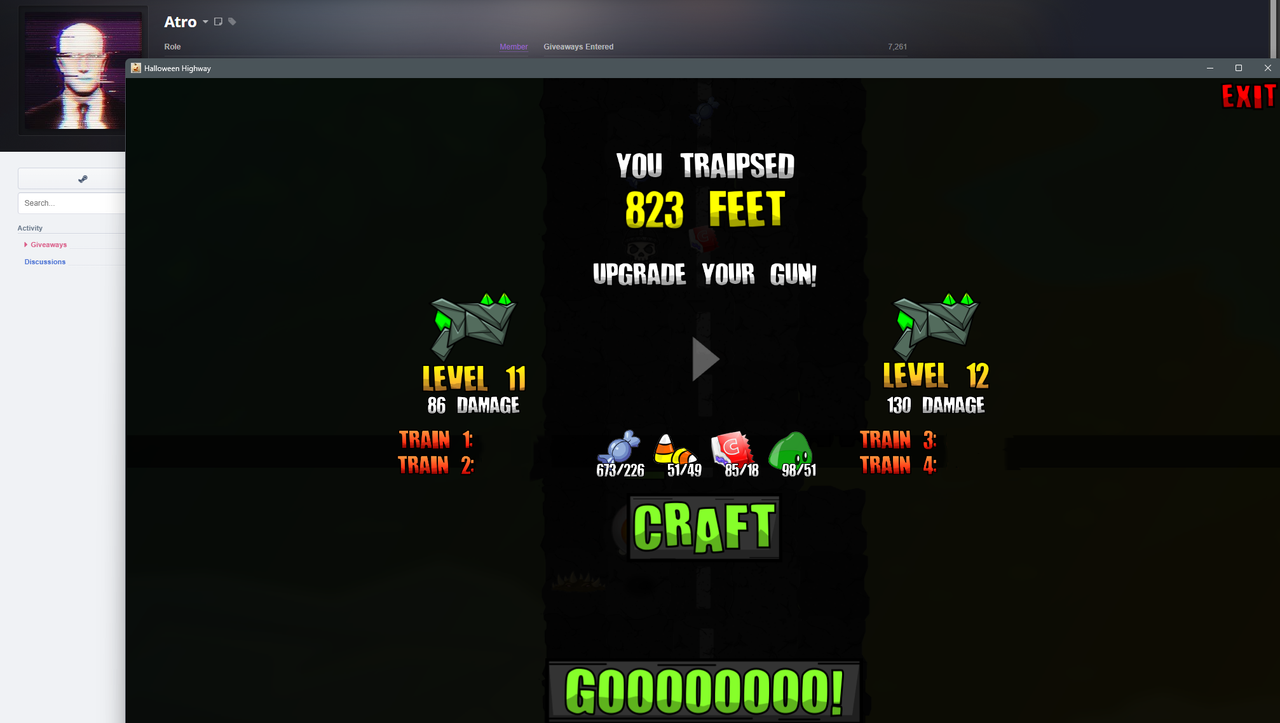
As you run along, you'll see different pickups...various types of Halloween candy as well as ghost slime. Whenever you die, the game over screen will show what gun level you currently have as well as how many of each pickup you need in order to craft the next level of gun. It also shows the increased damage that new gun will do. All of the various candy will simply appear along the highway as a drop...but to get the ghost slime, you have to shoot baddies with your gun. When they die, ghost slime will splat out through the air and land somewhere on the highway.
Why does your guy need candy and ghost slime to upgrade guns? Heck, I don't know! He's a pumpkinhead dude...none of this makes sense and frankly I don't want to live in a world where it does. 🤪
Controlling Pumpkinhead
Steering Pumpkinhead is easy. Remember, this game was designed for touch screens originally, and this still works. If you're playing on a touch screen, simply hold your finger on the screen and slide right and left to steer Pumpkinhead. When you're aligned with a baddie, he'll shoot his gun automatically. If you're playing on a regular PC, you'll need to steer with your mouse while holding your left mouse button. Yeah, yeah, that last bit sounds like a pain, but it's not a big deal. Remember that you're essentially dragging your character, and that's how you do that with a mouse. Again, firing happens automatically so long as that mouse button is pressed down. I actually tested this on both my gaming PC and my Surface Pro, and I liked playing with the mouse better (that's how I got my longest run). So, no whining.
That sounds good, but you still haven't told me how I can win games
Oh yeah, that's kind of important. So, there are four trains with increasingly more difficult tasks to enter, but the games get increasingly better as well. The first train can be (against my better judgement) entered by anyone, level 0 on up. All of the other three trains require you to have given at least something on SG before, and thus require a measly level 1 to enter.
That last one make take you a little while, but it's totally doable. I've run for almost 2000 feet, so it can't be that hard. Also, I've upgraded my guns to around level 20, so getting to level 10 is actually pretty easy.
Once you've achieved any/all of these things, the code to enter that train will be available on the game over screen, clearly labeled and right below your gun statistics.
In case you're not familiar with it, every giveaway on Steamgifts has a five-character code, and that's what's listed as the start of each train. All you need to do is write down your train codes, and insert them into the URL in your browser as follows:
https://www.steamgifts.com/giveaway/ABCDE/All you have to do is replace "ABCDE" in the string above with your five-character code from the game, and POOF! MAGIC! You'll be looking at the first cart in that train.
Unfortunately necessary note about cheating
Don't do it. Play the game. It's not that hard, doesn't take that long, and should be at least some degree of fun. Anyone caught cheating, whether giving or receiving codes from the game without playing it, will get added to my blacklist. My blacklist is short...but once you're on it, you're probably never coming off. So, just resist being a douche canoe and play the game that I worked hard to bring you, ok? Oh, and I have eyes in some of the little Discord and Reddit groups some of you belong to that you think are secret where you publish game codes from SG. If you try to share codes there, I'll likely find out. Alrighty. Enough about that.
On that note, you need to prove that you actually played the game
This is pretty easy. Just get a screen shot of the game in windowed mode with your Steamgifts profile in the background. DO NOT SHOW THE TRAIN CODES IN YOUR SCREEN SHOT. Please obscure them. An example screen shot is at the bottom of the main post. The game can easily be switched between full screen and windows mode by pressing ALT-Enter. When it's in windowed mode, you can drag the corner to resize the window to your liking and everything will auto-scale.
Other notes on the game
I did make quite a few tweaks to the code to speed up the overall experience. The game starts dropping the rarer pickups (candy corn and candy bars) sooner in my version than the original, so you can speed up the upgrade process. I also made the rarer items a bit more prevalent, lowered the collection thresholds for each level of the gun, and reduced the pickup cooldown time so that they'll drop more often. I estimate that I made things about 35% less grindy. 😎👍🏻 One side effect is that some of the stronger baddies seem to show up a tiny bit sooner, but honestly it makes the game more interesting and faster-paced, and I think that it's more than a fair tradeoff. All graphic editing was done in GameMaker and Powerpoint.
Ok, let's get going!
First things first: Download link for the game
Install the game (on Windows...sorry, no time to attempt multi-OS support here) and fire it up! FYI...if you want to make the game full-screen, just hit alt-Enter to switch between that and windowed mode. The game was fully tested and works on Windows 11 (didn't have to do any manual compatibility stuff).
Other stuff
The trains open up early on October 17th and end at 11:59 pm Halloween Night (October 31st - Central Time, US). So, get cracking, and best of luck to you and Pumpkinhead!
A couple of these keys (especially in the lower-level trains) are really freakin' old. So, please be cool and agree to a delete if they don't work for some reason. Being the swell guy that I am, I'll find some kind of replacement game for you of roughly equal value, so you won't go home empty-handed if you were supposed to win something.
Also, please visit Butterscotch Shenanigans! They wrote the original game, and they have some really cool fully-developed games like Levelhead! Check out their site or visit their Youtube Channel.
Update for linux users
SG member and linux user, Tyreg, has the following advice for those who want to play this Windows game on linux (using Proton & wine):
Comment has been collapsed.